Stay Where Comfort Meets Convenience
Find the Perfect Stay - Anywhere, Anytime
Booking a hotel has never been easier! With Neto Group’s mobile app, you can search and book comfortable, budget-friendly hotels around the world – all from your phone. Whether you’re planning a short stay or a long vacation, our smart filters let you sort hotels by price, location, amenities, ratings, and refund policies to find the perfect match for your needs.
Each hotel listing includes complete details like room types, availability, facilities, photos, guest reviews, and booking policies. You can choose traveler profiles for whom you’re booking or add new profiles instantly. Plus, with instant booking confirmation and secure payment options including using your Neto earnings – your stay is confirmed in just a few taps.
Book Your Hotel in 4 Easy Steps
From Budget to Luxury, Book Hotels Your Way
With Neto Group’s hotel booking feature, discover and reserve comfortable accommodations across the globe in just a few taps. Apply smart filters, compare options, and enjoy instant confirmations – whether you’re traveling for study, vacation, or business.
Step 01
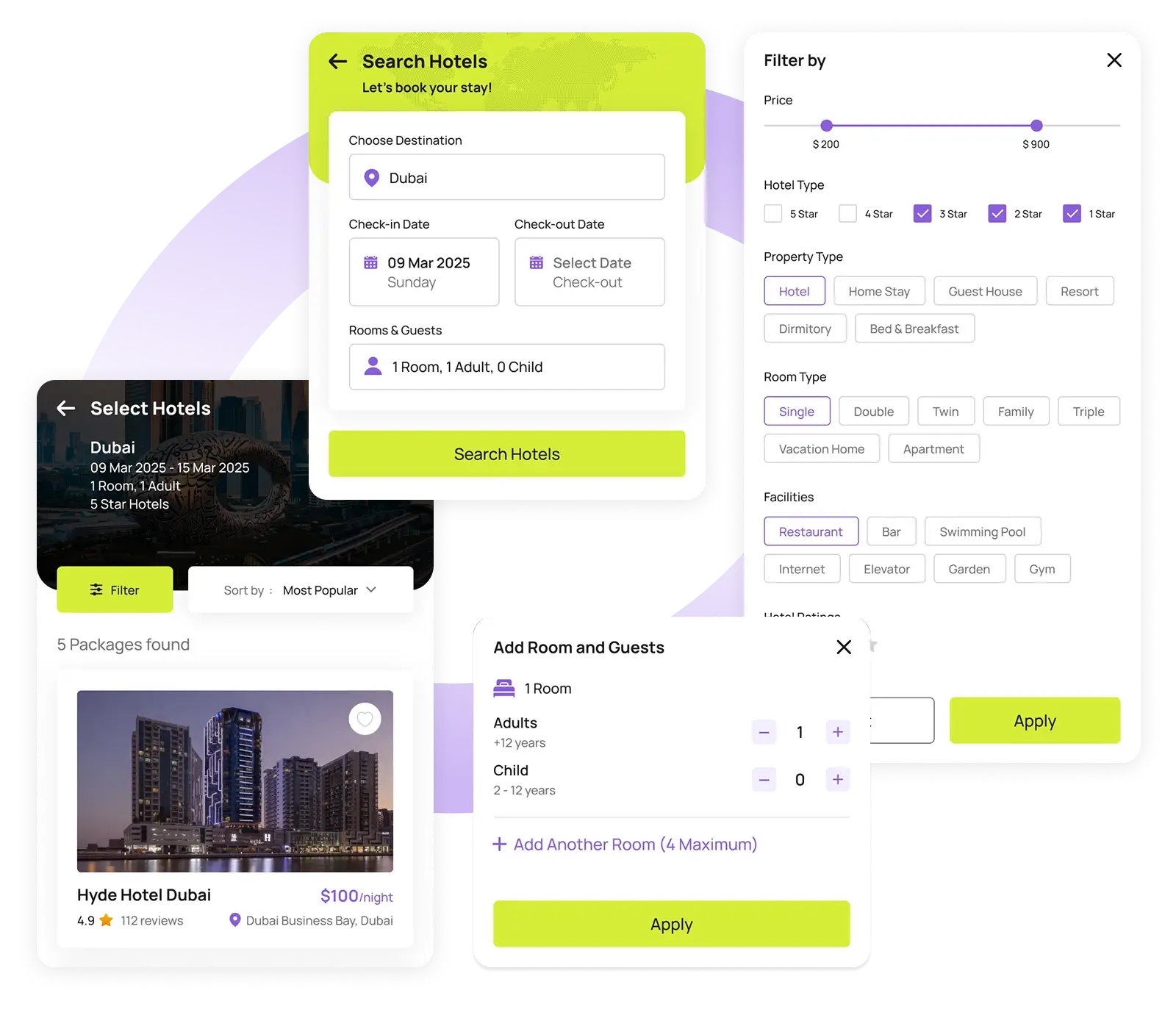
Search & Select Hotels
Begin by entering your travel destination, check-in and check-out dates, number of guests, and rooms required. You can refine your search using filters such as price range, hotel category (5-star, 4-star, etc.), property type, room type, specific facilities, and guest ratings.
Hotels are displayed based on your selected destination country, giving you a wide range of options tailored to your preferences.
Step 02
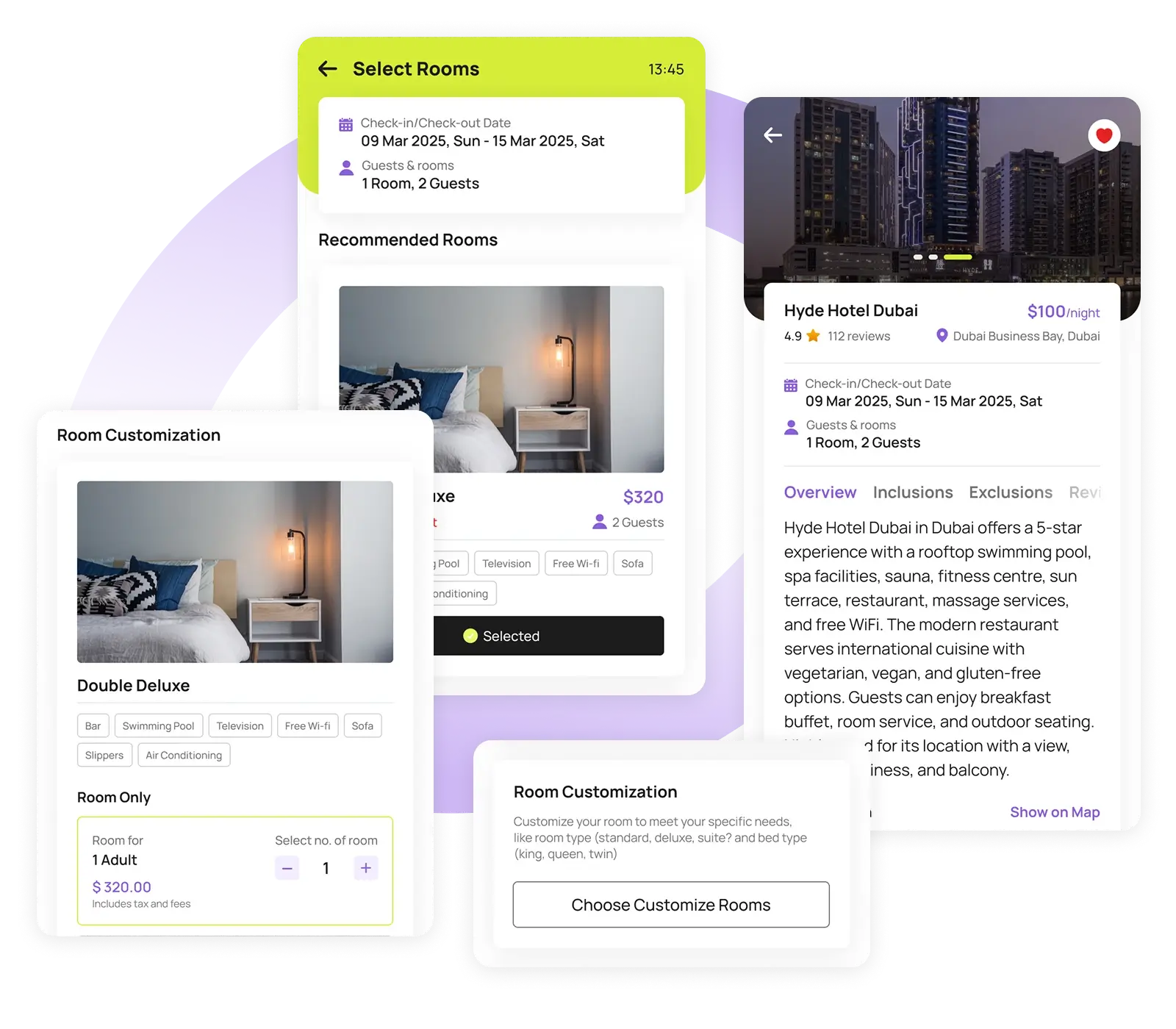
Select and Review Room Details and Customize
Click on any hotel to view detailed information including room types, pricing, inclusions, exclusions, guest reviews, and cancellation policies.
You’ll also see a list of recommended rooms available for that hotel. Customize your room preferences if needed, ensuring your stay meets all your expectations before moving forward.
Step 03
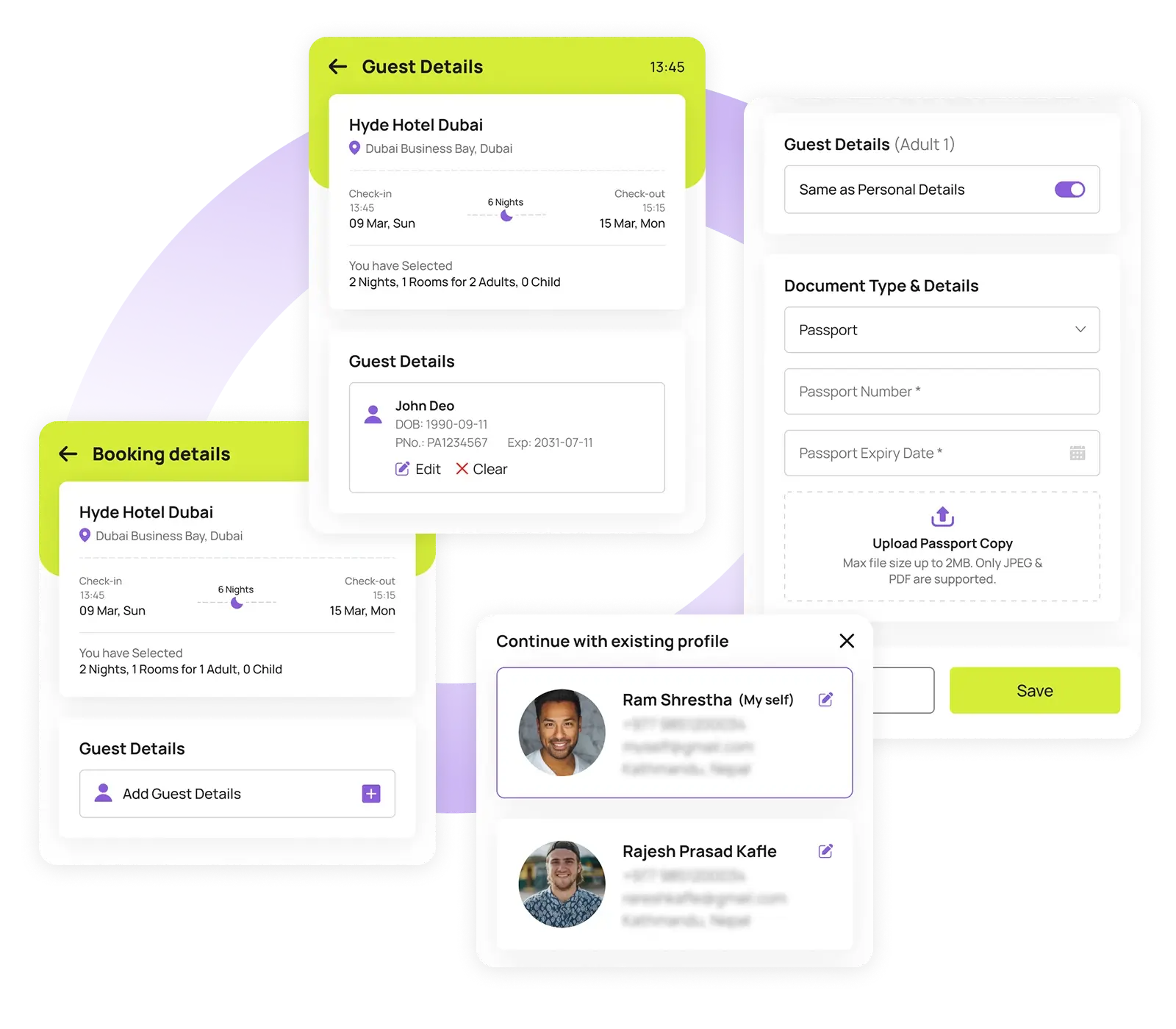
Add Guest Details and Profiles
Once you’ve selected your preferred room, Neto Group makes the next step simple and streamlined. You’ll be prompted to enter guest information, where you can either choose from existing guest profiles or create a new one.
Creating a profile requires basic personal details like full name, passport number, nationality, and contact information such as email and phone number. This ensures that your booking is accurate, personalized, and ready for a smooth check-in experience.
Step 04
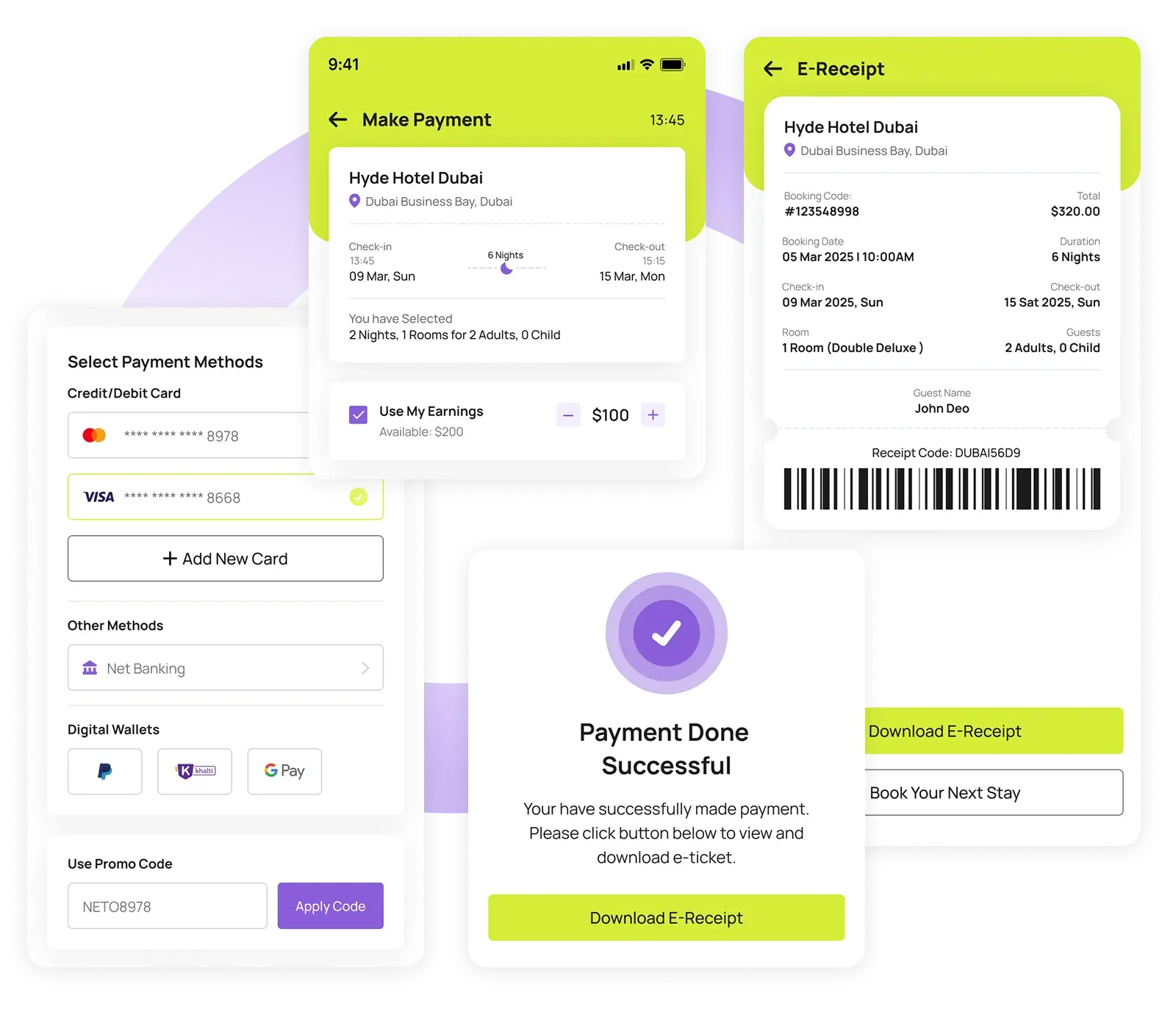
Review & Do Payment
Double-check all booking details before proceeding. Then, continue to checkout and make your payment using various available methods – including credit/debit cards, digital wallets, or even your transferable Neto earnings. Once the payment is completed, a digital e-receipt is generated instantly, and you can always track your booking status in the app’s “Activities” section.
With Neto Group, hotel booking is not only convenient but also customized to meet your exact travel needs.