Prepare & Travel – All in One Place
Discover the World with Ease and Excitement
Looking to travel for leisure, study, or business? Neto Group offers a wide range of travel and tour packages – all accessible through our mobile app. Whether it’s flights, hotels, or complete travel bundles, you can browse, book, and manage everything in one place.
From solo adventures to group tours, we bring you trusted options at the best rates – right at your fingertips. With instant confirmation and support at every step, Neto Group ensures your travel experience is smooth, affordable, and unforgettable.
Travel & Tour Booking in 4 Easy Steps
Curated Travel Experiences, Just a Tap Away
The seamless process ensures a fast, flexible, and fully digital way to explore the world – powered by Neto Group. Here’s the detailed content for the Travel & Tour process:
Step 01
Find Your Perfect Tour
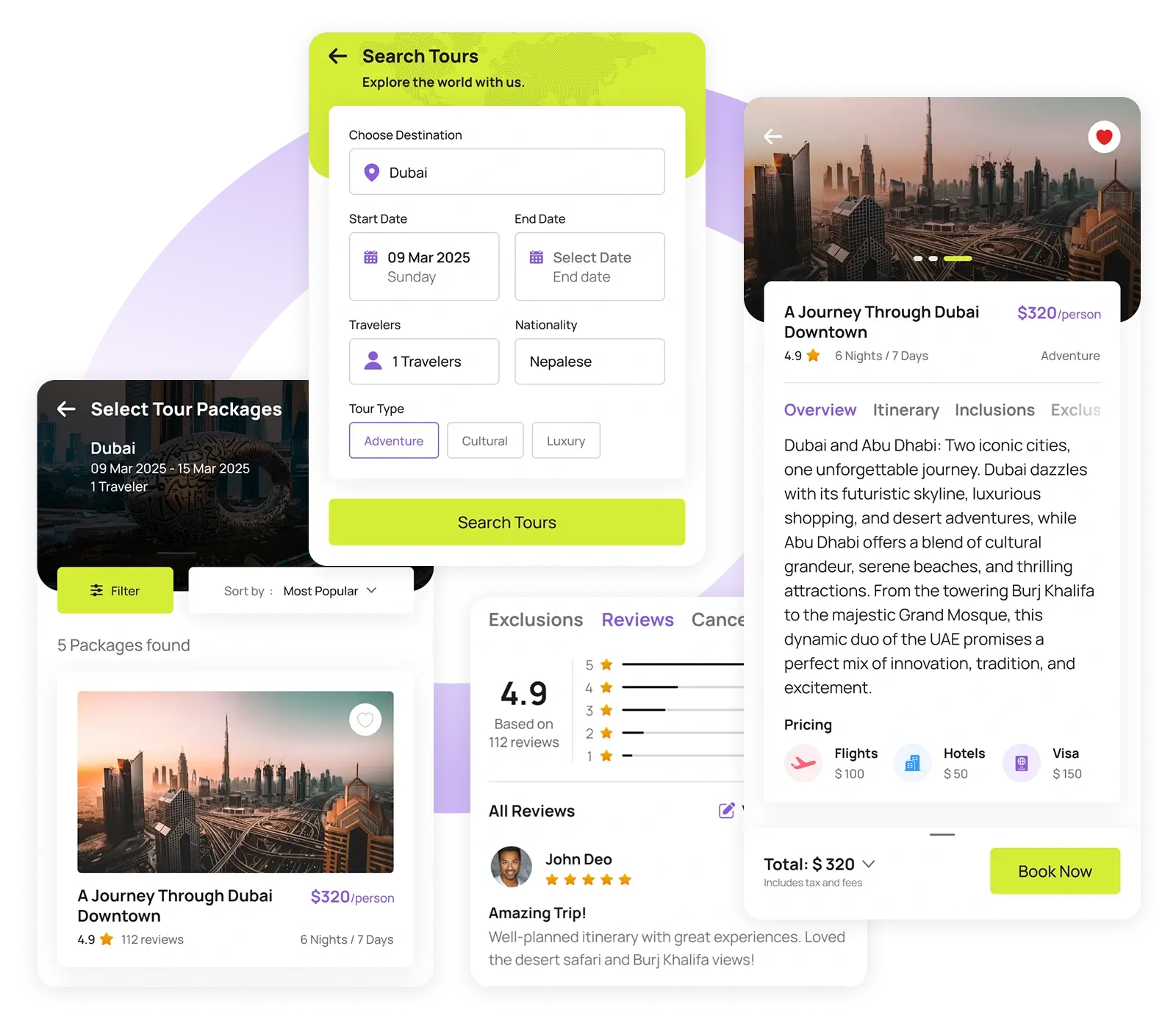
Begin by selecting your start and end destinations, travel dates, number of travelers, and preferred tour type (e.g., adventure, luxury, cultural). Neto Group then shows you tailored packages categorized by destination country. Use filters like price range, package duration, tour operator, and user ratings to narrow your options.
Once you find a suitable package, you can view complete details including pricing breakdown (flights, hotels, visa), day-wise itinerary, inclusions/exclusions, cancellation policy, and traveler reviews.

Step 02
Add Traveler Information & Make Passenger Profile
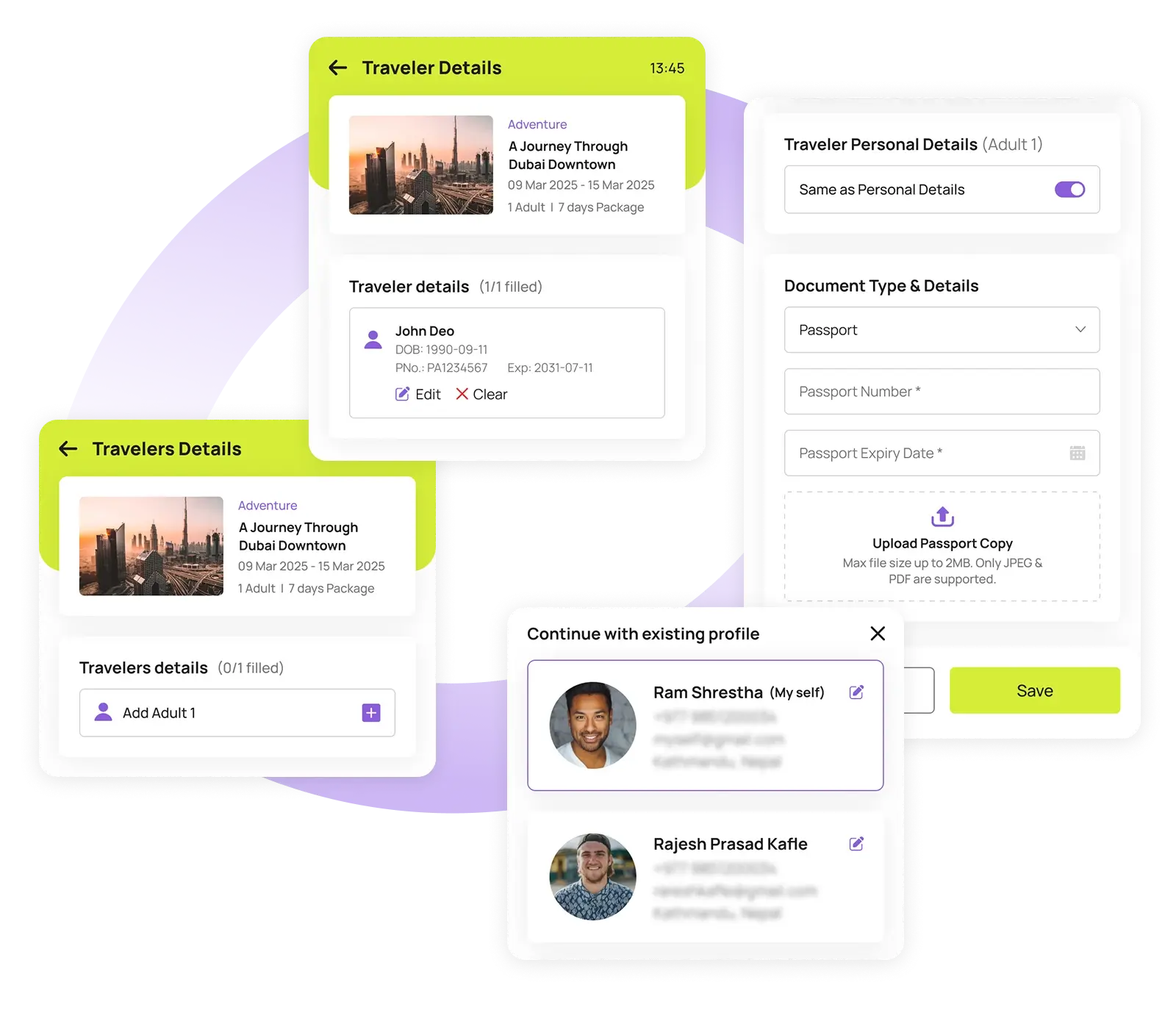
After selecting your package, Neto Group will prompt you to provide traveler details. Choose an existing traveler profile or create a new one.
You’ll need to fill in important information such as personal details, passport information, and contact details. This ensures accurate booking and document processing for all travelers.
Step 03
Customize with Add-Ons
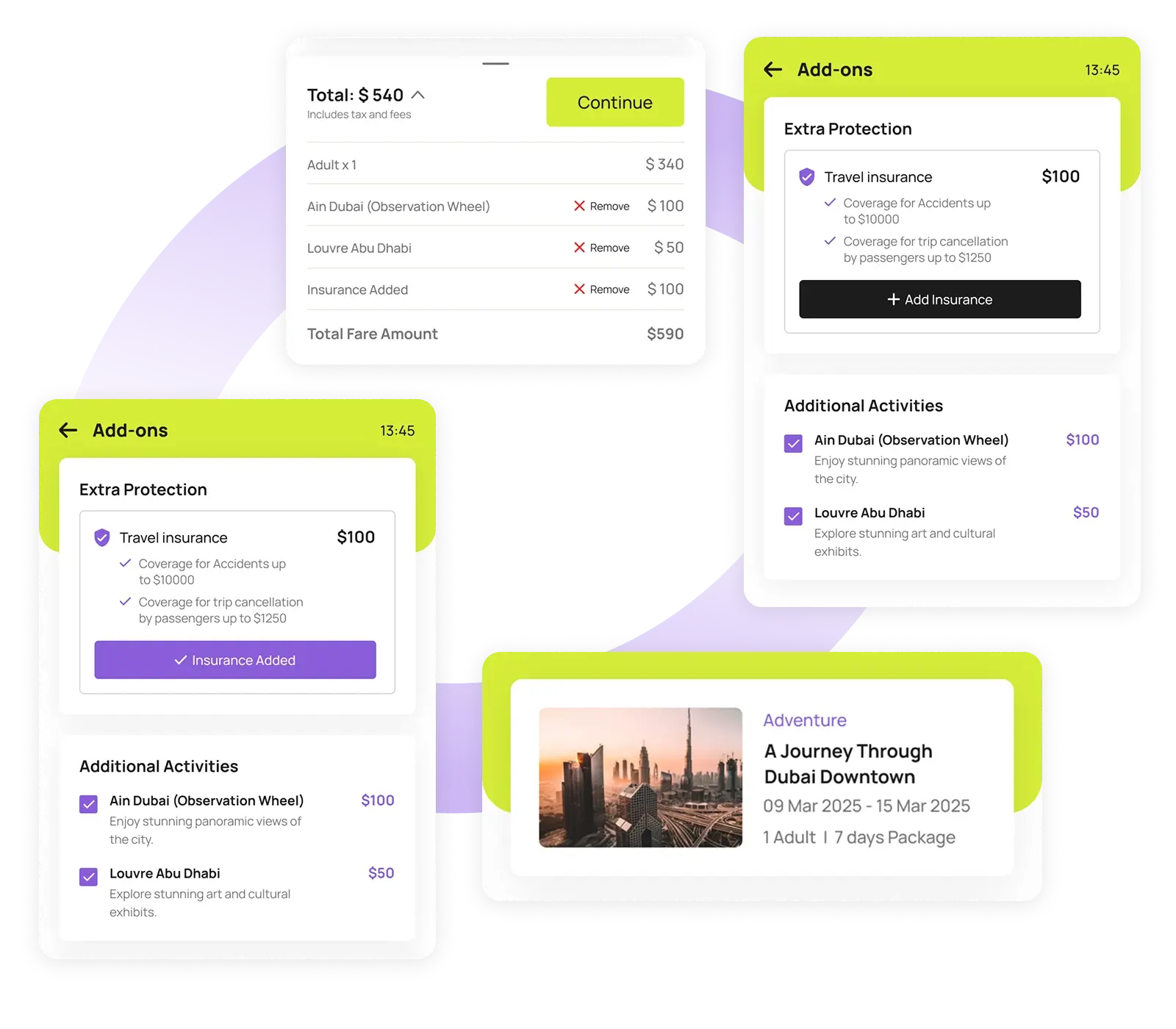
Next, you’ll have the option to add extras like travel insurance, guided tours, or special activities depending on the destination.
These add-ons will be reflected in the total price. You’ll also get a final review screen where you can confirm all the details before proceeding to payment.
Step 04
Make Payment & Get Confirmation
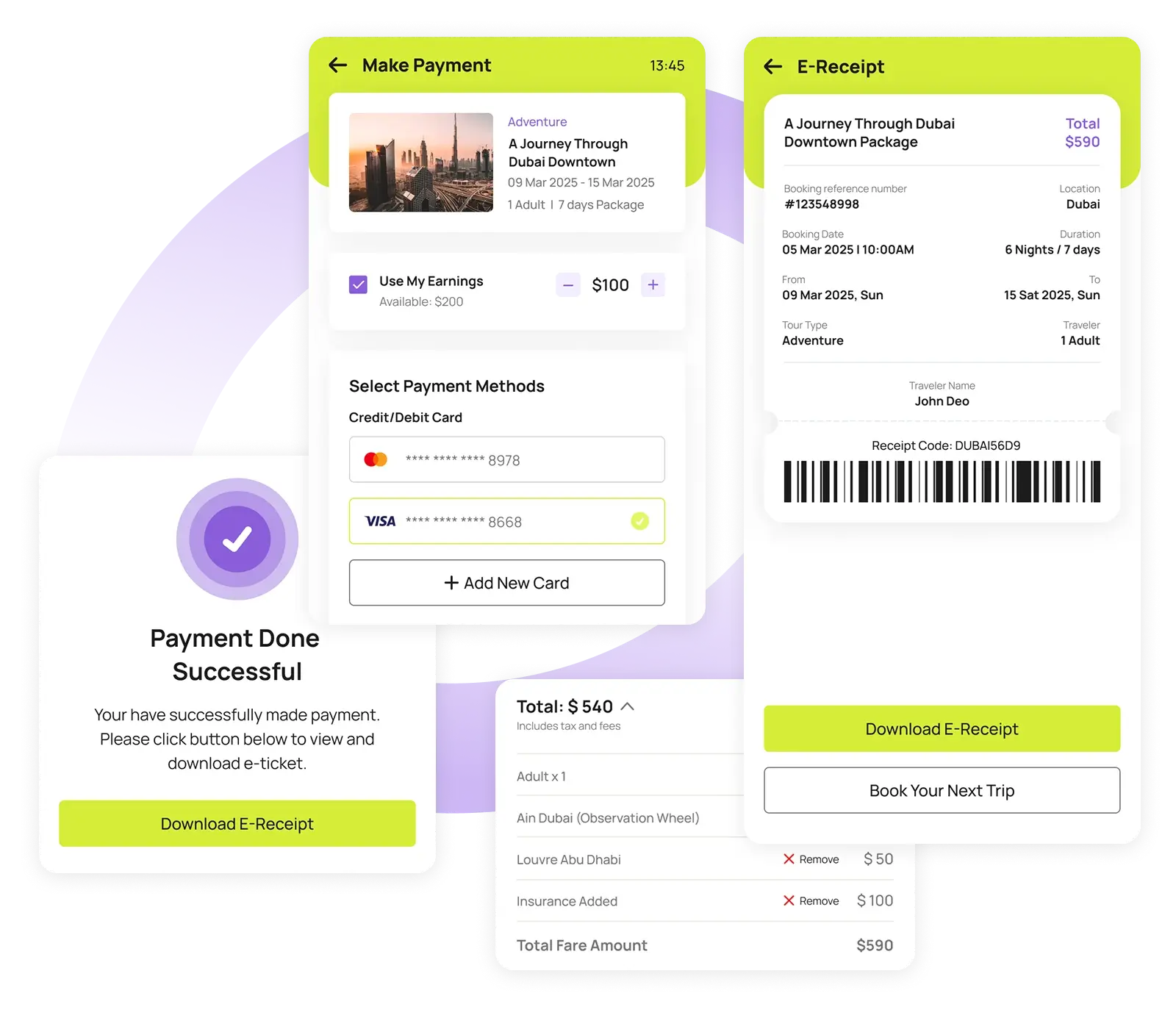
Once you’ve reviewed everything, proceed to checkout. Neto Group supports multiple payment methods, and you can also use your Neto earnings to pay partially or fully.
After successful payment, your e-receipt is generated instantly within the app. You can always track the package status and download receipts anytime from the Activities section.