
Study Abroad with Neto Group
Your Dream University is Just a Tap Away
Planning to study abroad? With the Neto Group app, you can explore top universities, get expert guidance, and manage your entire application process—all from your phone. From course selection to visa tracking, we’ve got you covered.
With built-in support for education loans, test preparation, and visa services, Neto Group is your complete study abroad companion. Download the App and start your global education journey today!

Study Abroad in 5 Detailed Steps
Your Complete Global Education Journey - Simplified with Us
Easily apply to top universities around the world – right from your phone. From choosing a country and course to uploading documents and receiving visa support, Neto Group simplifies the entire study abroad process easy steps.
Step 01
Choose Your Country and University
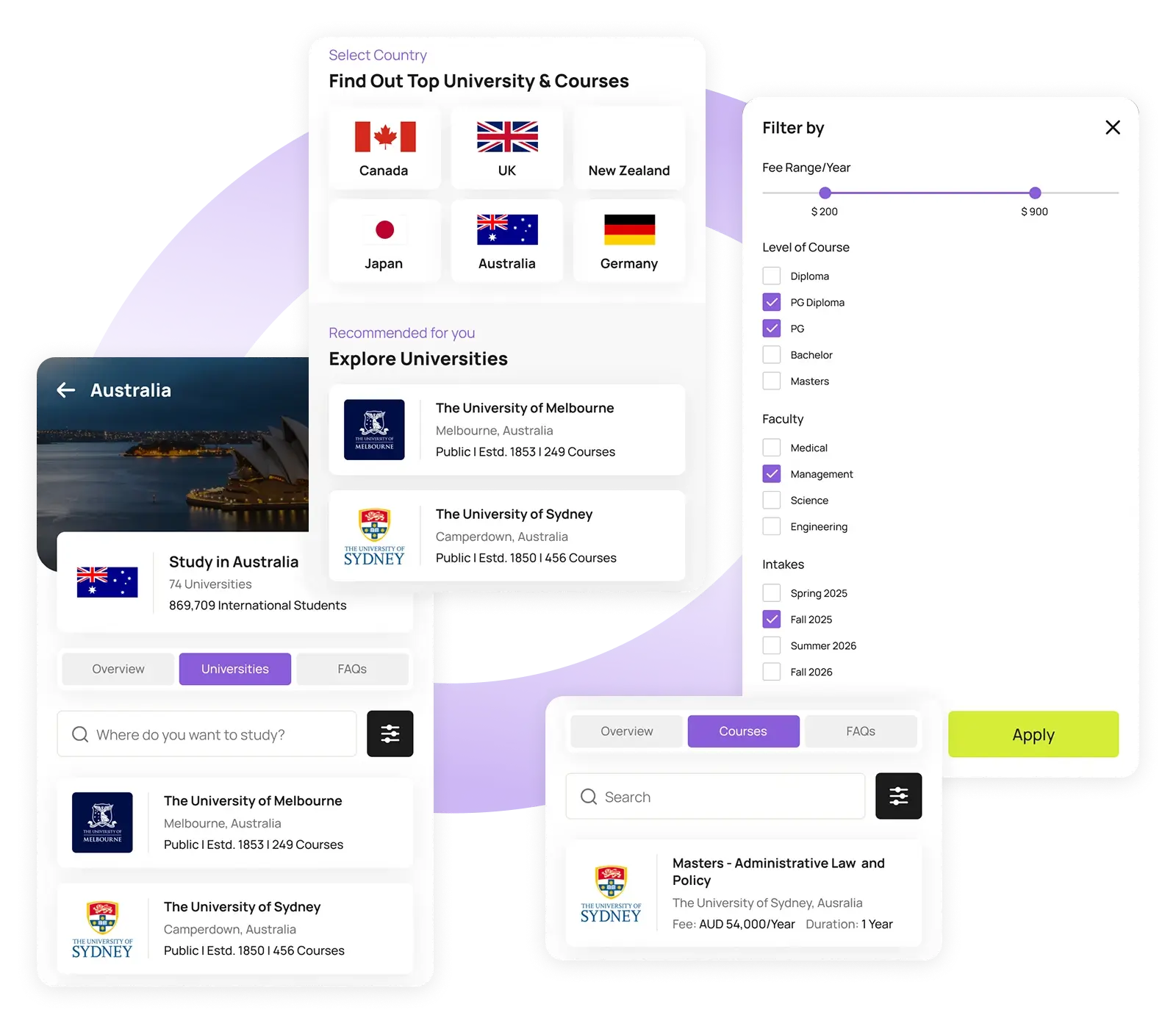
Begin your study abroad journey by navigating to the Study Abroad section in the Neto Group app. Select from a list of top countries like Canada, Australia, the UK, the USA, and more. Once you’ve chosen your country, the app will show a curated list of partner universities and institutions in that region.
Use built-in filters to find the perfect match for you:
- Tuition Fee Range: Stay within your budget
- Level of Course: Bachelor’s, Master’s, Diplomas, and more
- Field/Faculty: Engineering, Business, Health, IT, etc.
- Intake Periods: Choose based on your availability (Fall, Spring, Summer)
This step makes it easy to compare and decide based on your personal, academic, and financial preferences – all in one place.
Step 02
Select a Course and Create/Choose a Profile
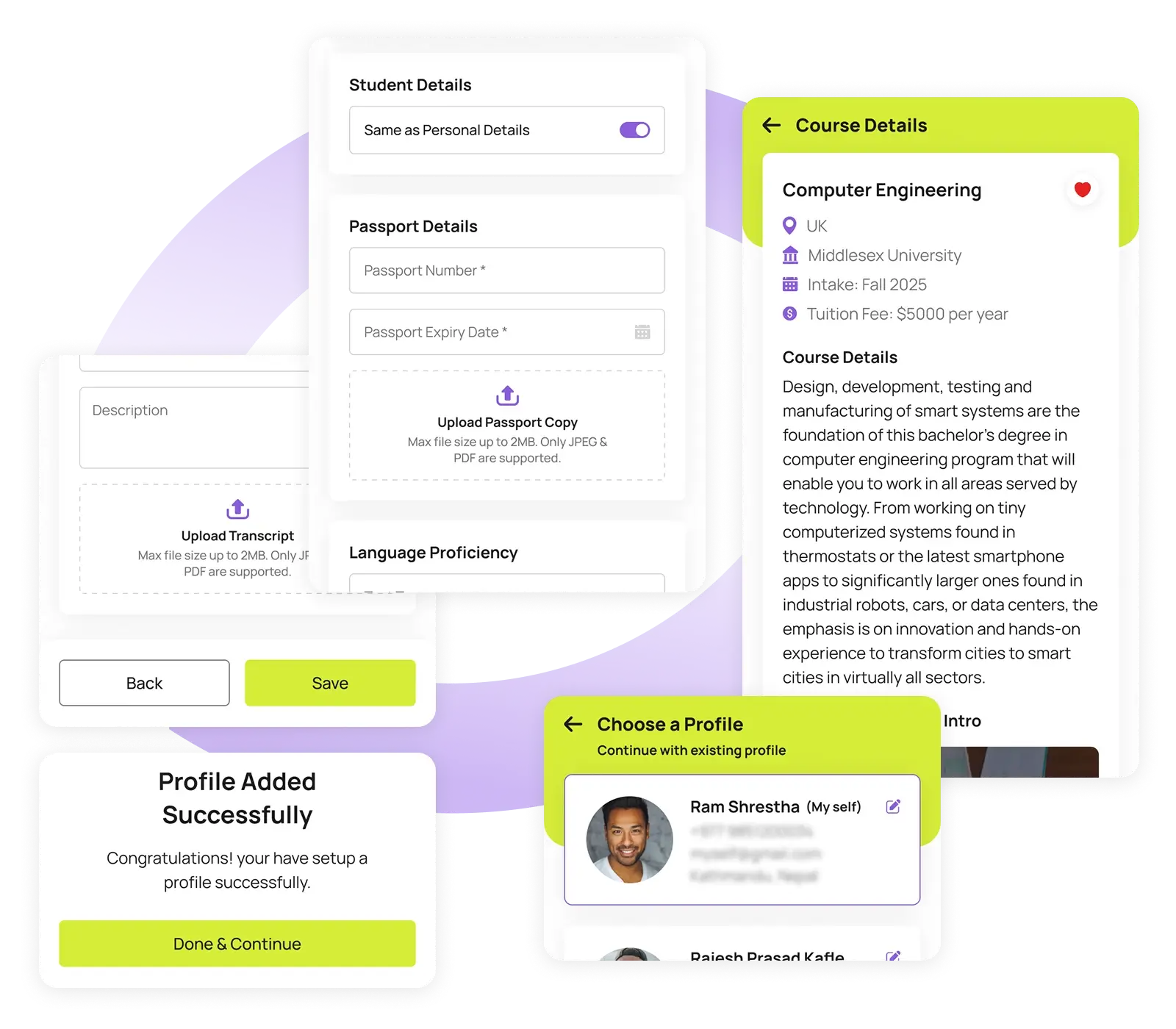
Once you find the ideal course, tap to view its full details including duration, fees, curriculum, and admission requirements.
You’ll then be prompted to:
- Select an existing profile (if applying for someone already registered), or
- Create a new profile by entering the applicant’s personal, academic, and background details (such as name, date of birth, education history, and test scores)
This step ensures all your application data is properly linked and stored under a unique applicant identity for easy tracking and future use.
Step 03
Application ID Generation & Payment Setup
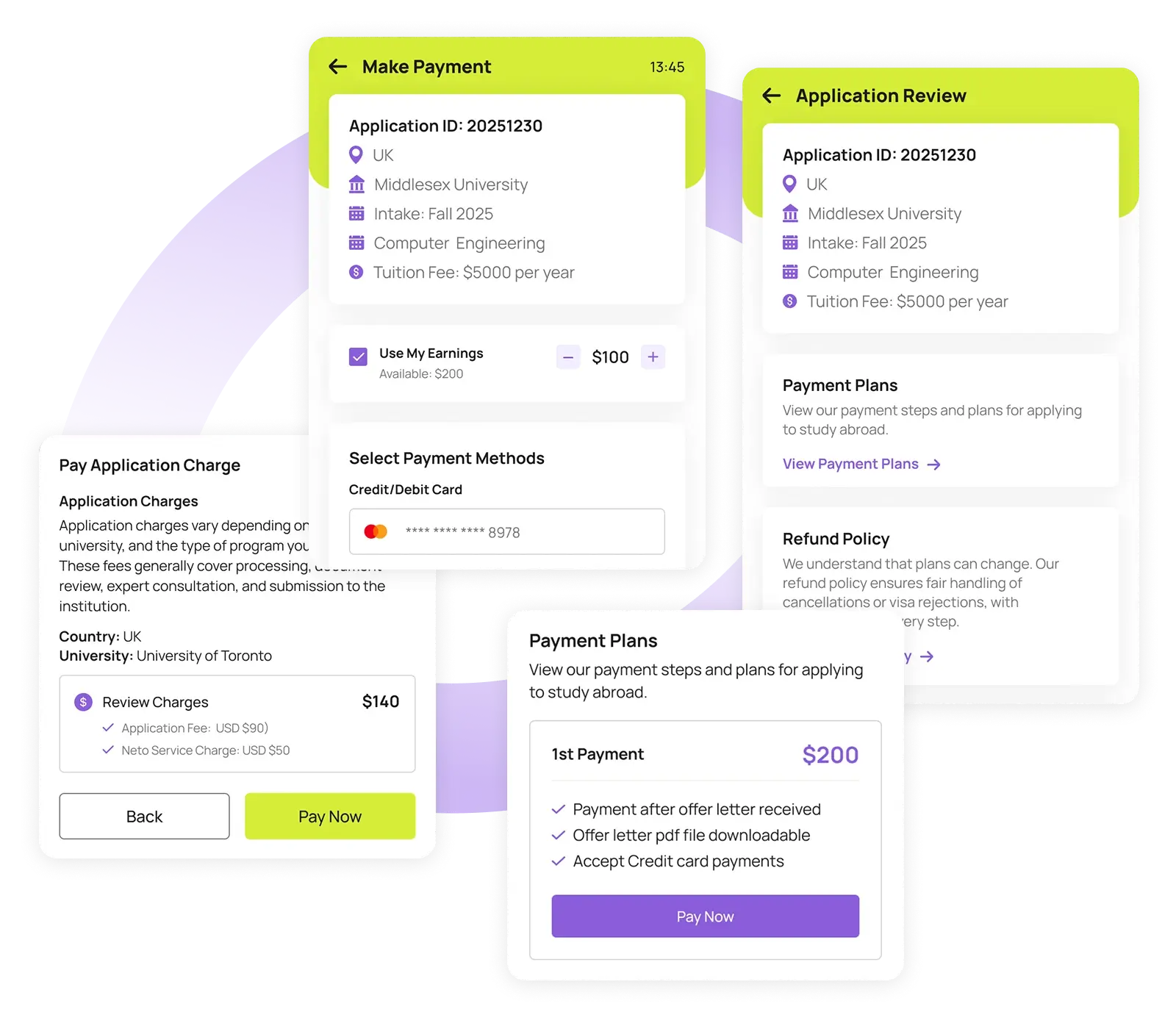
After your profile is filled and course selected, the system generates a unique Application ID for tracking.
You’ll now be shown:
- A clear Payment Breakdown including application charges
- Available Payment Plans, if applicable
- Refund Policy (including eligibility if visa is denied or process is cancelled)
At this stage, you’ll be required to complete the initial payment to move forward. Payments can be done via secure gateways using cards, wallets, or other supported methods. Only after successful payment will your application begin formal processing.
Step 04
Upload Documents & Track Status
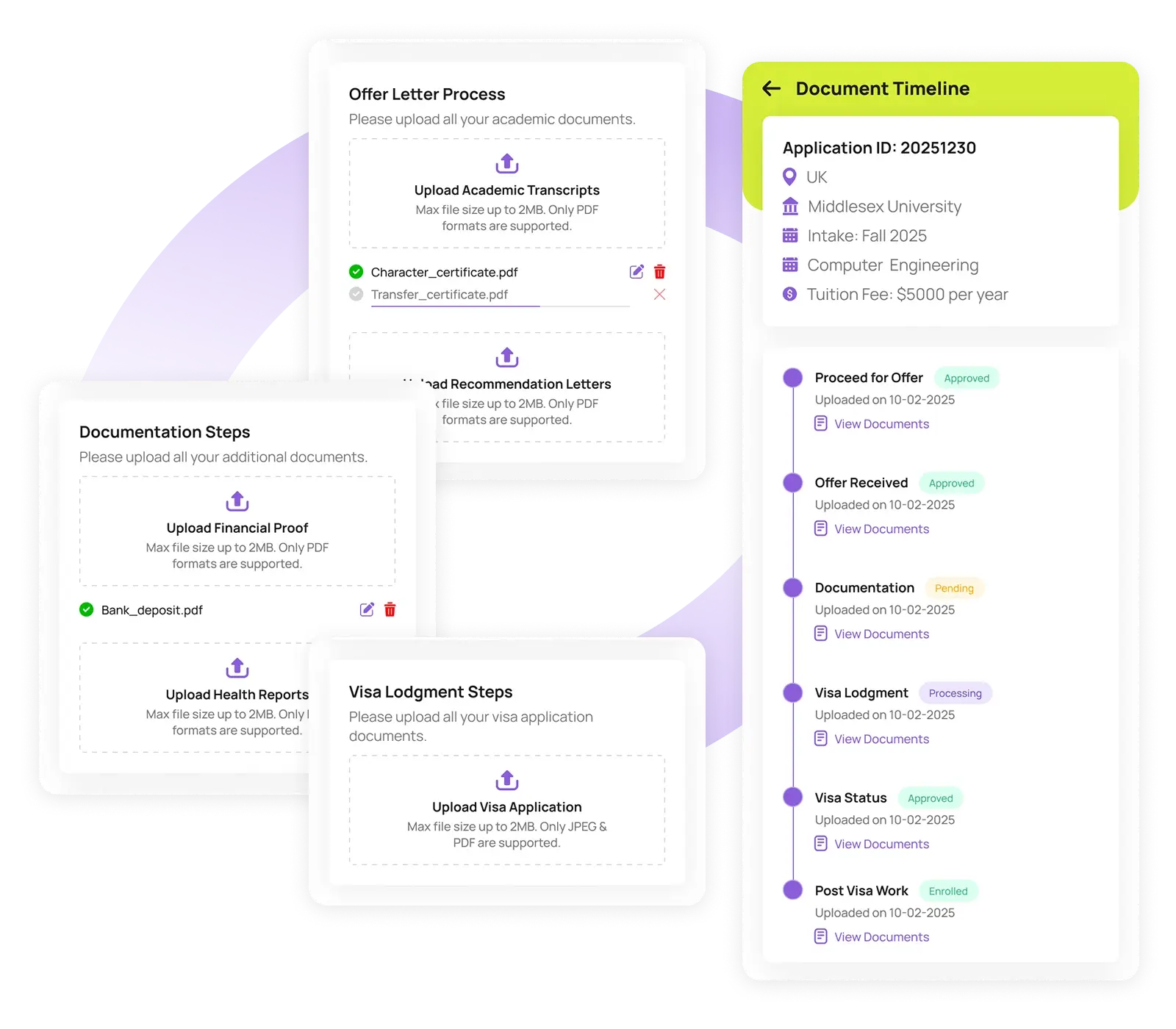
With payment done, you’ll be guided to your personal Document Timeline.
Here, you will:
- View the list of required documents based on the course and university (e.g., Passport, Academic Transcripts, SOP, LORs, English Proficiency Scores)
- Upload documents directly from your phone
- Preview and manage each uploaded file
- See the status updates, for each document (Pending, Processing, Approved, Rejected, etc.)
This system ensures transparency and helps you stay on top of what’s missing or needs correction – no more back-and-forth emails!
Step 05
Visa Outcome & Aftercare Support
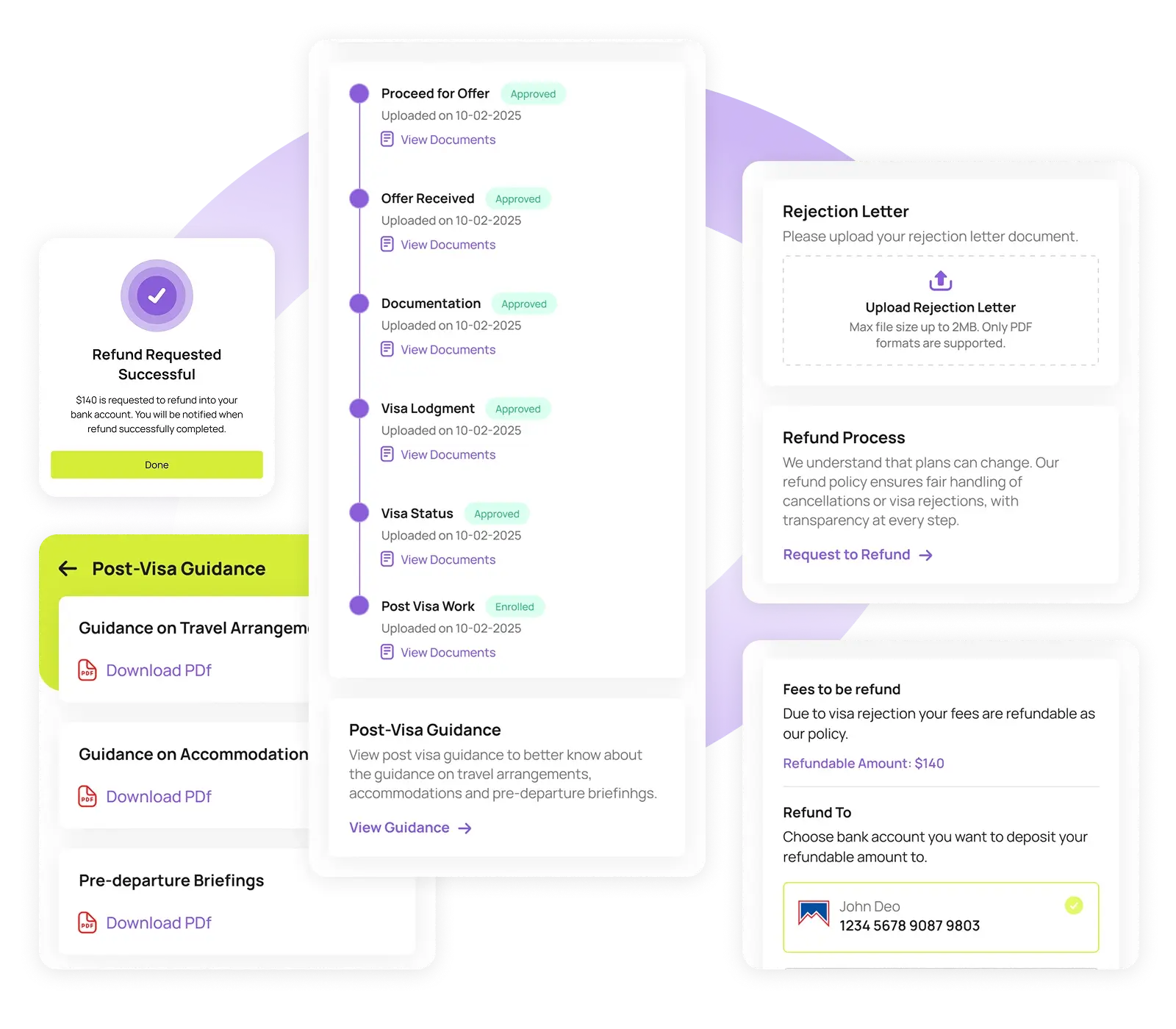
Once your application is fully submitted and documents are approved, our team helps process your student visa. You will receive real-time updates through the app as your visa moves through stages like: Pending, Processing or Approved/Rejected.
If your visa is approved, you will:
- Receive step-by-step Post-Visa Guidance
- Get help with booking accommodation, flights, travel insurance, and pre-departure orientation
- Have access to our consultants for one-on-one advice and next steps
If your visa is rejected, don’t worry. By uploading the official rejection letter, our team will initiate the refund process in line with our policy – offering you peace of mind and financial protection.
Contact via App
Let’s Connect and Make Your Journey Easier
You can also contact us directly through the Neto Group mobile app for faster responses and personalized support through live chat or the help center. Download the app to get support instantly!