Flight Tickets

Seamless Bookings - Worldwide Flights

Book Flights Smarter with Neto Group

When it comes to booking flight tickets, Neto Group brings convenience, transparency, and savings all in one app. With access to global airline networks, competitive fares, and multiple travel options, you can compare flights, filter by budget, airline, or time, and book in just a few taps. Whether you’re planning a solo trip, a family holiday, or an international move for study or work—Neto makes your journey smoother from the start.
What sets Neto Group apart is the ability to manage everything in one place. Plus, with secure payment methods, real-time booking confirmation, and customer support just a tap away, Neto ensures your travel experience is seamless and stress-free every time you fly.
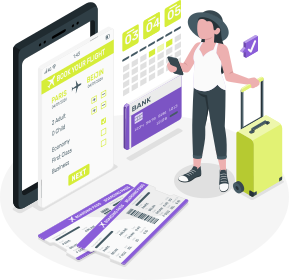
Flight Tickets Neto Group

Book Your Flight in 4 Easy Steps

Fly with Flexibility, Book with Confidence

Booking flights has never been easier. With Neto Group’s all-in-one platform, your next trip is just a few taps away. Here’s how the complete process works:
Flights Ticket - Step 01 - Neto Group

Step 01

Search & Select Your Flight

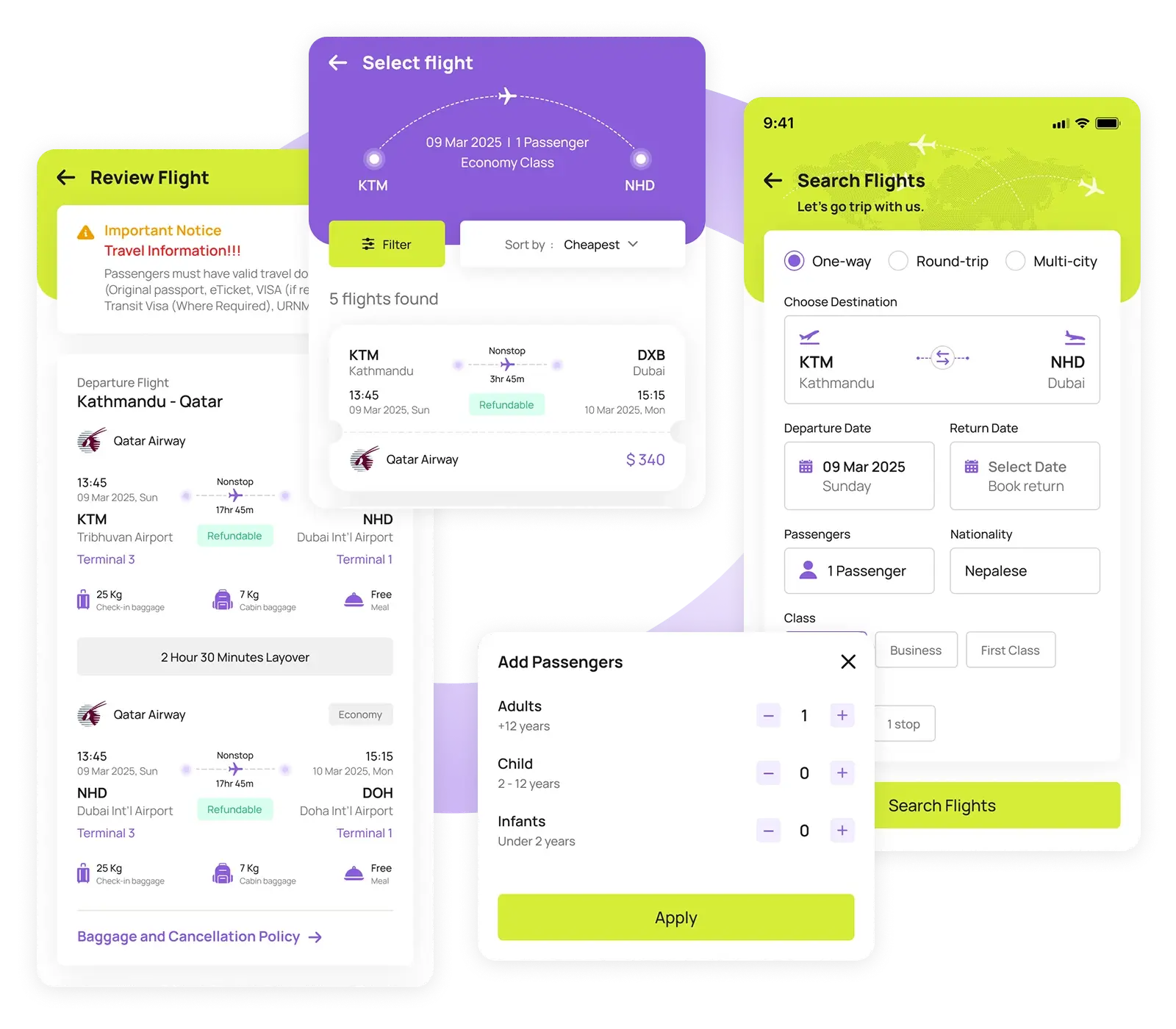
Start by choosing the type of trip like One-Way, Round Trip, or Multi-City. Enter your departure and arrival destinations, travel dates, number of passengers, flight class, and preferences such as nonstop or one-stop options.

Use advanced filters to refine results based on price, airline, departure time, refund policy, and stopovers. Once you find the flight that suits your needs, review all the key details – flight duration, baggage allowance, and cancellation policy -before proceeding.
Flights Ticket - Step 02 - Neto Group

Step 02

Provide Traveler Contact & Passenger Profile

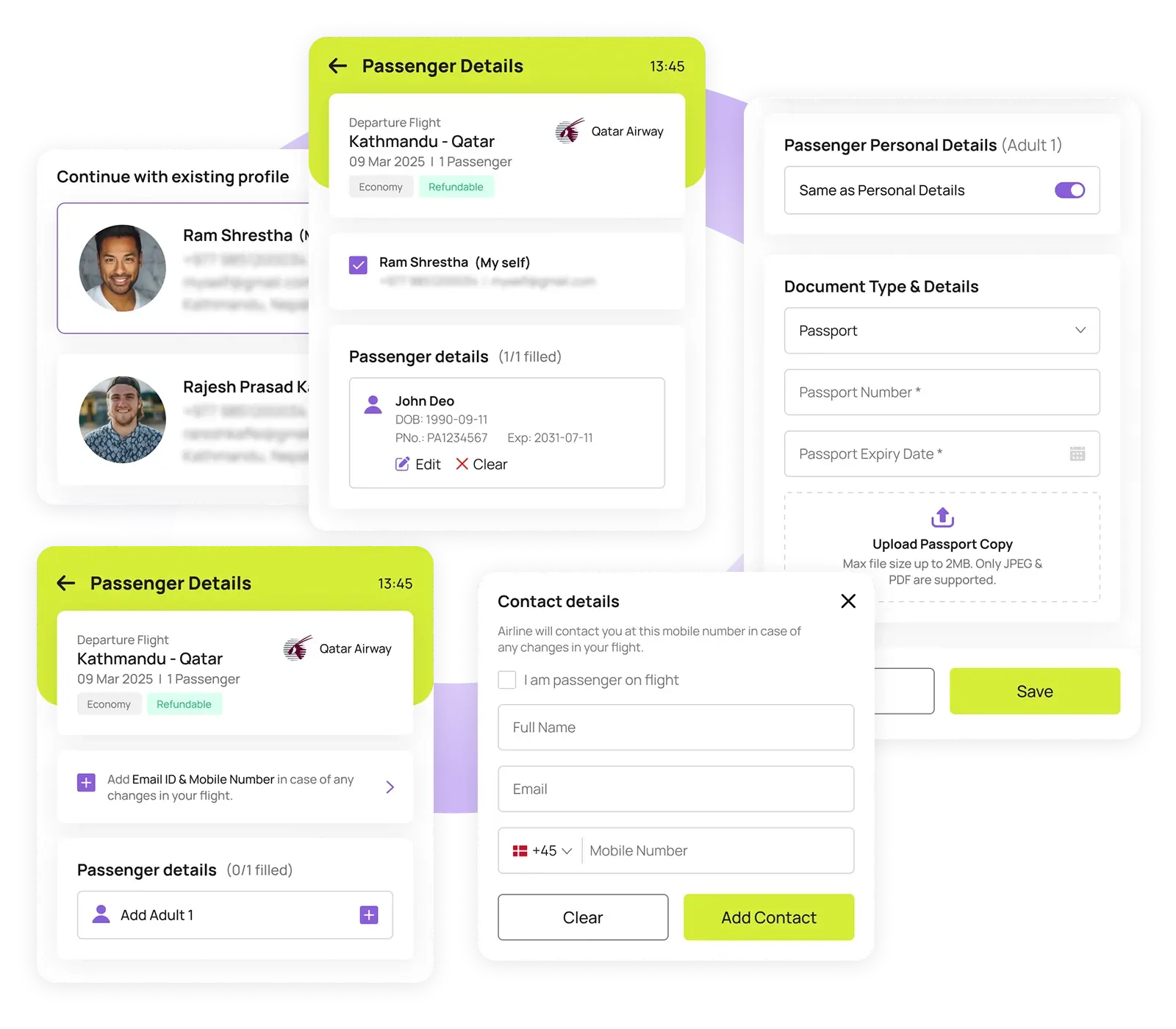
Next, Neto Group will ask for your name, email, and phone number as passenger details – this helps the airline contact you directly in case of changes.

Then, choose the passenger profile for whom you’re booking, or easily create a new profile if needed. After selecting or creating the profile, you’ll be prompted to fill in the traveler’s personal information, including passport details.

Step 03

Add Extras & Review Your Booking

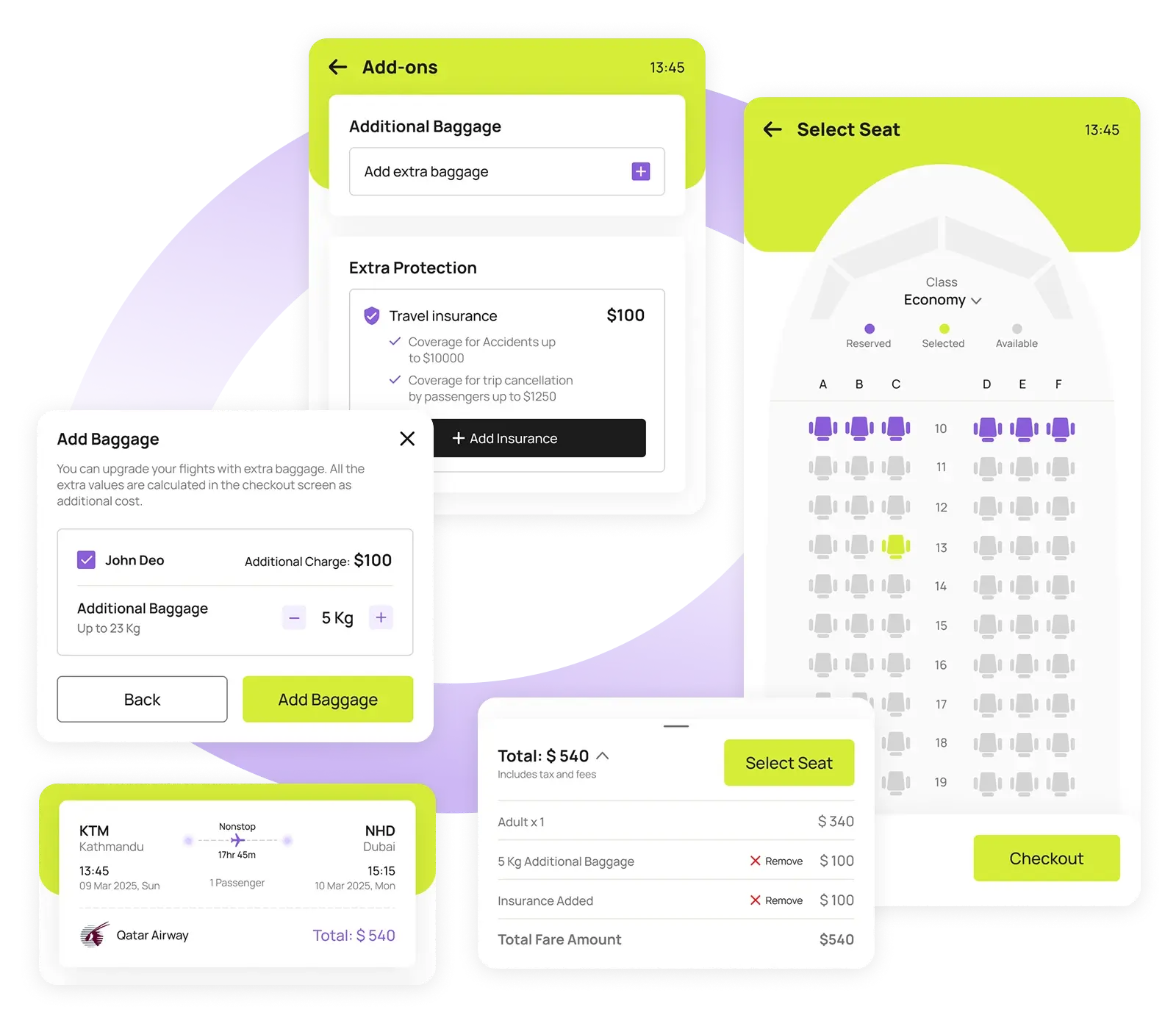
Before checking out, you’ll have the option to include add-ons like extra baggage, priority boarding, or travel insurance for added peace of mind. These additions will be automatically calculated into your total fare.
Once all the details are reviewed, you can proceed to choose your seat, ensuring a more comfortable and personalized journey.
Flights Ticket - Step 03 - Neto Group
Flights Ticket - Step 04 - Neto Group

Step 04

Checkout & Receive Your Ticket

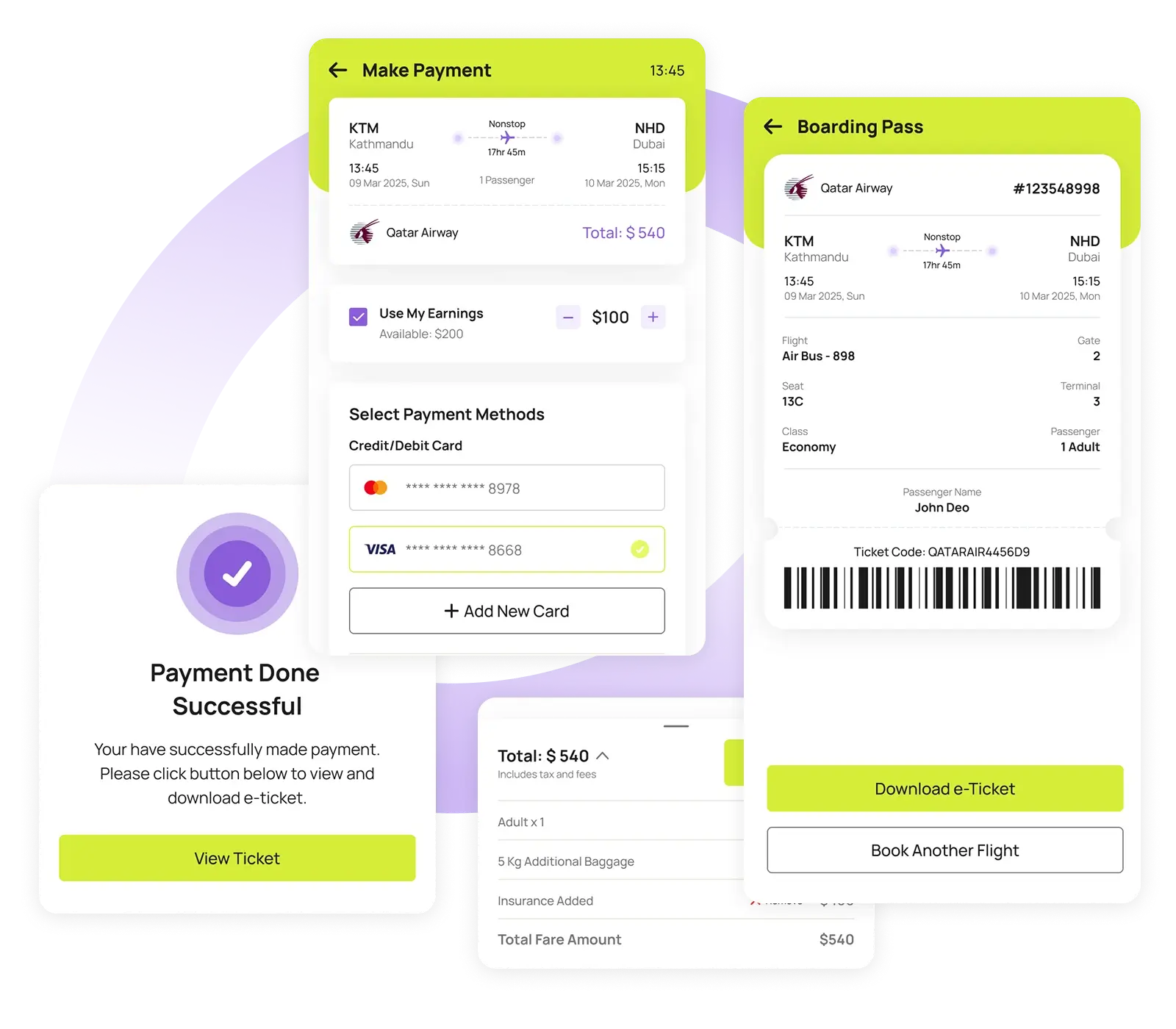
Complete your booking by selecting your preferred payment method – including the option to use your Neto Group earnings.
Once the payment is processed successfully, your boarding pass will either be generated instantly or will be available to download after the payment and also you can track the status in the Activities section of the app. You’re now ready to fly!

Contact via App

Let’s Connect and Make Your Journey Easier

You can also contact us directly through the Neto Group mobile app for faster responses and personalized support through live chat or the help center. Download the app to get support instantly!